In the capital markets, the "user" is often a high-frequency trader, a portfolio manager executing block trades, or a middle-office analyst reconciling billions in daily volume. Unlike a retail e-commerce interface, where a bad UX results in a lost sale, a bad UX in a Trade Order Management System (Trade OMS) results in a "fat finger" error that can cost a firm millions in seconds, trigger regulatory fines, or cause a flash crash.
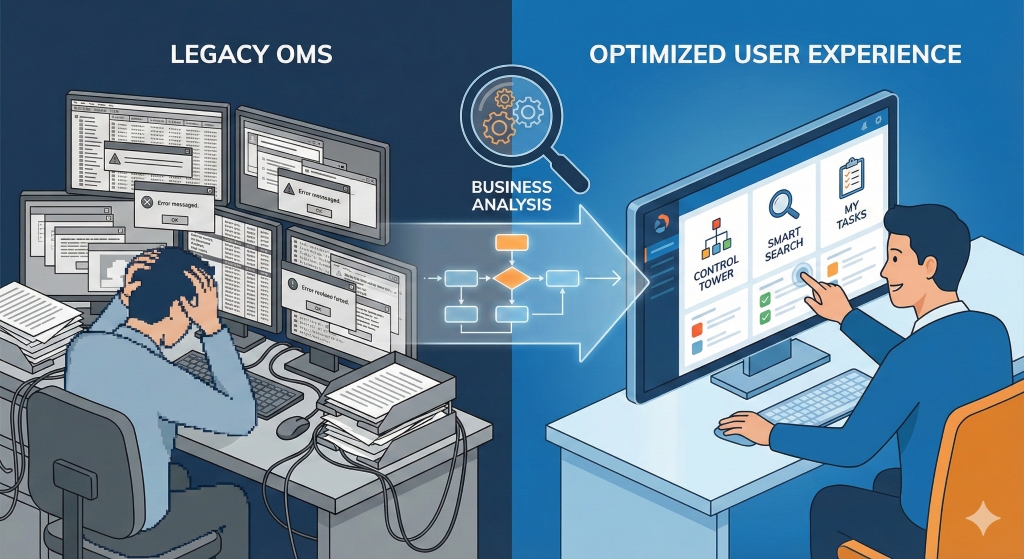
For years, capital market software was designed with a "function-first, human-last" mentality. Screens were dense grids of blinking numbers, devoid of hierarchy or intuitive flow. But as margins compress and the speed of execution becomes a competitive differentiator, the User Experience (UX) of the Trade OMS has moved from a "nice-to-have" to a critical risk management tool.
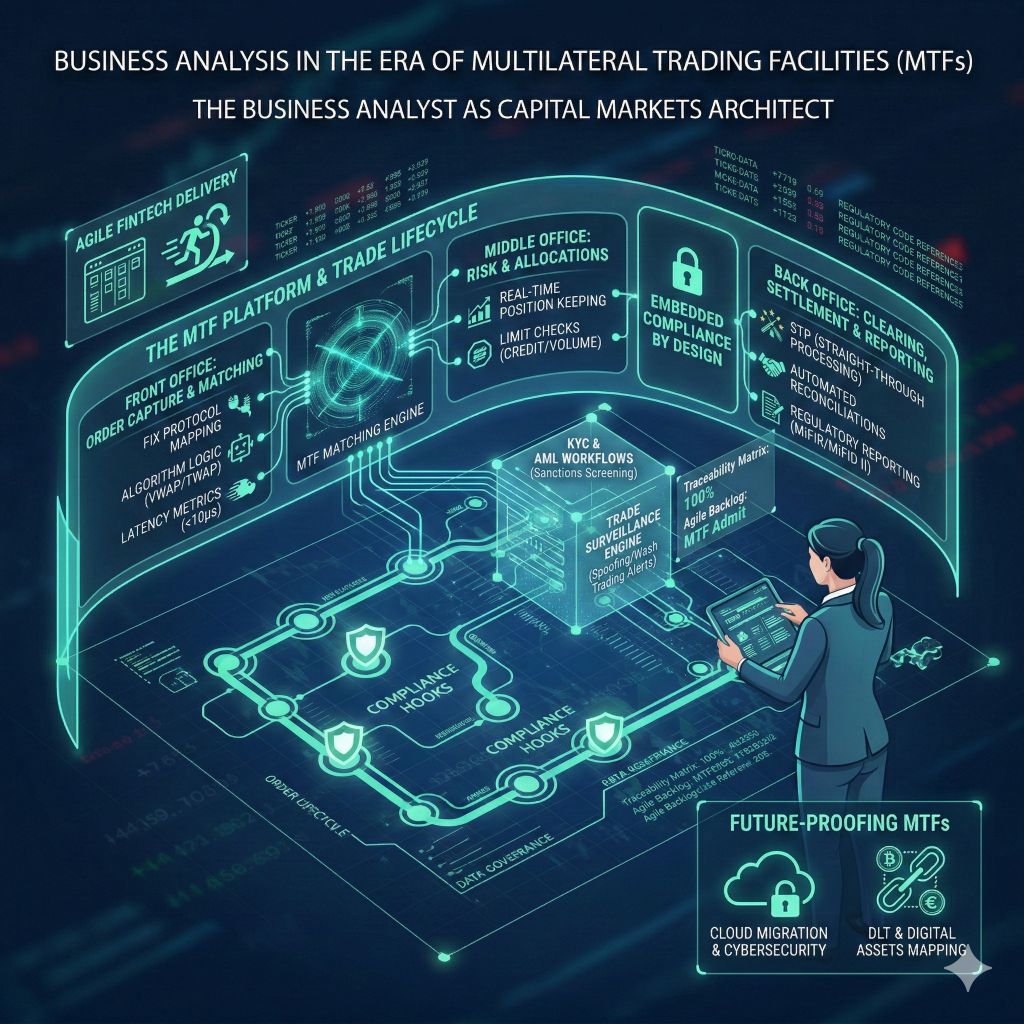
This comprehensive guide explores how Business Analysis (BA) serves as the bridge between complex financial protocols (like FIX) and the human cognitive limits of the trader, ultimately delivering an OMS that enhances alpha rather than hindering it.
The High Stakes of the Trading Desk
To understand how to improve the OMS, we must first understand the environment. A trading desk is a sensory-overload environment. A trader might monitor 6 to 8 screens simultaneously, watching real-time market data, news feeds, internal chat systems, and the OMS blotter.
In this context, Cognitive Load is the enemy. Every millisecond the brain spends deciphering a poorly labeled button or searching for a hidden column is a millisecond lost in execution.
Common Legacy OMS Failures:
- The "Excel Spreadsheet" Syndrome: Presenting data in endless, unprioritized grids where a $10 trade looks identical to a $10M trade.
- Alert Fatigue: Bombarding the trader with so many "Warning" pop-ups that they essentially develop blindness to them, clicking "OK" without reading—until the one time it matters.
- Disjointed Workflows: Forcing a trader to copy-paste an ISIN from a Bloomberg terminal into the OMS order entry ticket.
The Business Analyst as the "Forensic Architect"
Improving this ecosystem requires a Business Analyst who goes beyond writing user stories. In Capital Markets, the BA must act as a Forensic Architect. They must deconstruct the execution lifecycle to find where the "system" fights the "trader."
1. Contextual Inquiry: The "Sit-Beside" Method
You cannot improve a trading system by sending out a survey. A BA must sit beside the trader during market hours (specifically market open and close).
- Observation: You notice a trader repeatedly hits
F9 then Enter then Tab in a rapid sequence. - Analysis: They are bypassing a mouse-driven menu to execute a "Fill or Kill" order.
- UX Requirement: The new OMS must support customizable hotkeys. A mouse-driven interface, no matter how pretty, is too slow for this user.
2. Deconstructing the Order Blotter
The "Blotter" is the heart of the OMS. It is the grid where active orders are monitored. A standard BA requirement might read: "System must display active orders."A UX-focused BA requirement reads: "System must allow users to create 'Persisted View States' where orders are grouped by Asset Class and colored by % Filled, with a visual heatmap for nearing expiry."
The "Heatmap" Approach:Instead of just text, use background shading to indicate urgency.
- Pale Red: Order is 10% filled.
- Deep Red: Order is 90% filled.
- Flashing Red: Order is unfilled and within 5 minutes of market close.
3. The "Fat Finger" Defense (Defensive Design)
One of the biggest risks in trading is the "Fat Finger" error—accidentally trading 1,000,000 shares instead of 1,000.Legacy Solution: A pop-up box asking, "Are you sure?" (which traders instantly dismiss).UX/BA Solution: "Friction-Based Validation."
- If the Notional Value > $5M, the "Execute" button physically moves to a different location on the screen or requires a "Press and Hold" action for 2 seconds. This forces a cognitive break, ensuring the trader is intentional without slowing down standard small trades.
Core UX Improvements for the Trade Lifecycle
Phase 1: Pre-Trade (Staging & Analysis)
- The Problem: Portfolio Managers (PMs) send orders to the desk that are vague or incomplete.
- The Fix: Intelligent Order Staging. The OMS should auto-enrich orders. If a PM sends a "Buy Apple" order, the OMS should automatically pull the current price, average daily volume (ADV), and suggest the best algo (e.g., VWAP vs. TWAP) based on historical difficulty.
- Visual Aid: Display "Pre-Trade Analytics" (TCA) directly in the order ticket. Don't make the trader open a separate analytics tool. Show a small sparkline graph of the stock's liquidity right next to the "Quantity" field.
Phase 2: Execution (The High-Speed Zone)
- The Problem: Screen Real Estate. Traders want to see everything, but screens have limits.
- The Fix: Context-Aware Ribbons.
- When a user clicks on an Equity order, the ribbon toolbar shows: Cross, Algo Wheel, Dark Pool.
- When a user clicks on a Fixed Income order, the ribbon shifts to show: Yield Calc, RFQ (Request for Quote), Counterparty List.
- This dynamic UI reduces clutter by hiding irrelevant tools.
Phase 3: Post-Trade (Allocation & Compliance)
- The Problem: The boring aftermath. Allocating block trades to 500 different client sub-accounts is tedious and error-prone.
- The Fix: Visual Allocation Trees. Instead of a list, show a visual tree structure of the Master Fund -> Sub Funds.
- Use "Drag and Drop" to move partial fills to specific accounts.
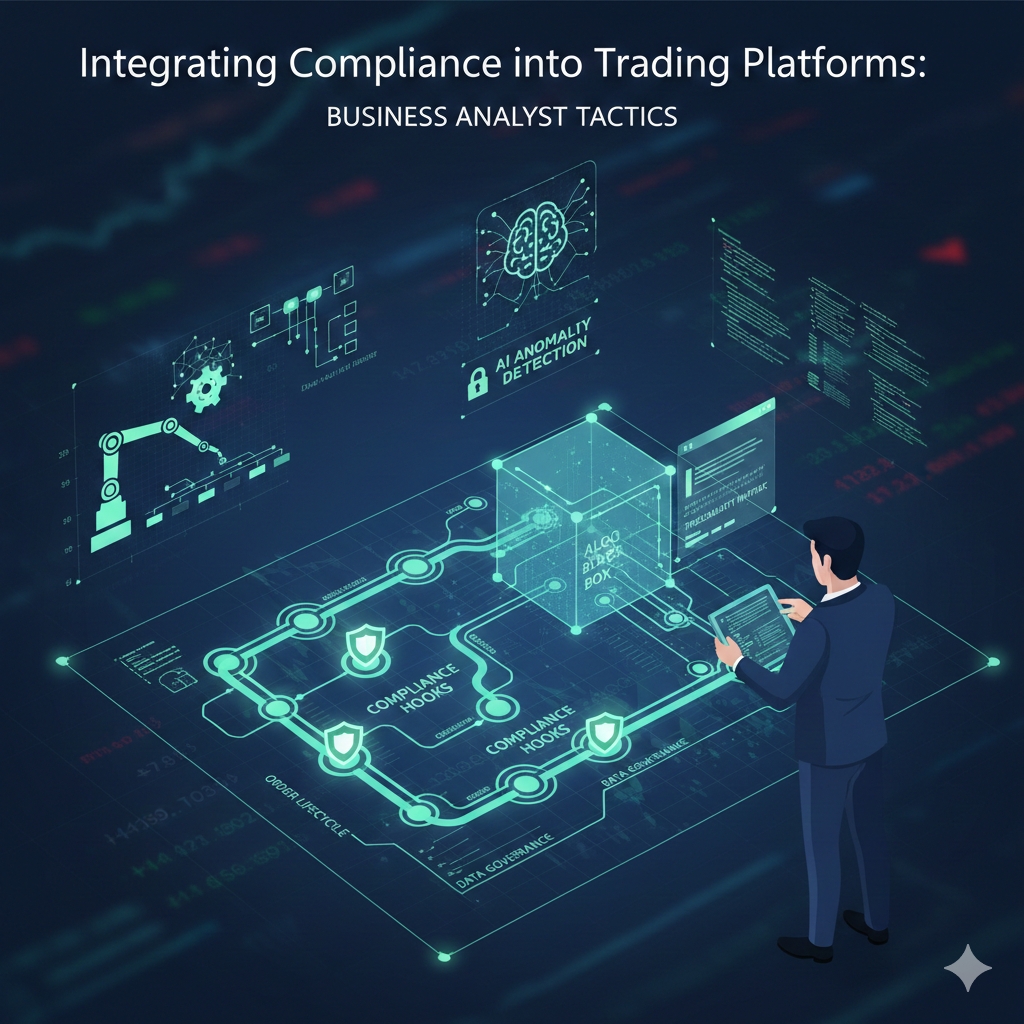
- Gamified Compliance: Instead of a scary error log, use a "Health Check" sidebar. A green circle means the trade complies with UCITS/MiFID II regulations. A yellow triangle warns of a "Soft Limit" breach (e.g., "This trade will put the fund 1% over its tech sector cap").
Technical Considerations for the BA
When writing requirements for these UX improvements, the BA must speak the language of the developers:
- Latency: "The UI render time for the blotter cannot exceed 50ms upon a new FIX message receipt."
- Dark Mode: This is not a stylistic choice; it is a health requirement. Traders stare at screens for 12 hours. High-contrast Dark Mode reduces eye strain and helps color-coded alerts (Red/Green) pop.
- Accessibility: 8% of men are colorblind. Relying solely on Red (Sell) and Green (Buy) is dangerous. The BA must specify Shape + Color coding (e.g., A Down Arrow for Sell, an Up Arrow for Buy) to ensure accessibility.
Conclusion: The ROI of Empathy in Trading
Investing in Trade OMS UX is not about aesthetics; it is about Alpha.
- Faster Execution: Saving 2 seconds per trade on a desk doing 5,000 trades a day adds up to hours of gained market opportunity.
- Risk Reduction: A clear, defensive UI prevents the multi-million dollar errors that destroy reputations.
- Talent Retention: Top traders refuse to work with clunky, 1990s-era software. A modern tool attracts modern talent.
By applying rigorous Business Analysis to the human reality of the trading floor, firms can transform their OMS from a passive database into a dynamic cockpit for market dominance.
Industry Links & Resources
To dive deeper into Capital Markets technology and trading standards, visit:
- FIX Trading Community: The non-profit standards body for the Financial Information eXchange (FIX) protocol, the language of global trading.
- SIFMA (Securities Industry and Financial Markets Association): Insights into market operations, compliance, and technology trends.
- WatersTechnology: Leading news and analysis on trading technology and data.
- FINRA (Financial Industry Regulatory Authority): For understanding the compliance rules that drive OMS requirements.
BA Blocks
· BA Blocks
· BA Block YouTube Channel
Industry Certification Programs:
CFA(Chartered Financial Analyst)
FRM(Financial Risk Manager)
CAIA(Chartered Alternative Investment Analyst)
CMT(Chartered Market Technician)
PRM(Professional Risk Manager)
CQF(Certificate in Quantitative Finance)
Canadian Securities Institute (CSI)
Quant University LLC
· MachineLearning & AI Risk Certificate Program
ProminentIndustry Software Provider Training:
· SimCorp
· Charles River’sEducational Services
Continuing Education Providers:
University of Toronto School of Continuing Studies
TorontoMetropolitan University - The Chang School of Continuing Education
HarvardUniversity Online Courses
Study of Art and its Markets:
Knowledge of Alternative Investment-Art
· Sotheby'sInstitute of Art
Disclaimer: This blog is for educational and informational purposes only and should not be construed as financial advice.